"labelres={...}" - residue Label Properties
Q
How to turn on and specify residue label properties using the "labelres={...}" URL parameter in the Online 3Dmol Viewer?
✍: FYIcenter.com
A
 You can use the labelres={key:value;key:value;...} URL parameter to
turn on residue labels with given properties.
You can use the labelres={key:value;key:value;...} URL parameter to
turn on residue labels with given properties.
For example, the following URL turns on residue labels with default properties:
https://3dmol.org/viewer.html?pdb=4KW4&select=resn:TYR&labelres=
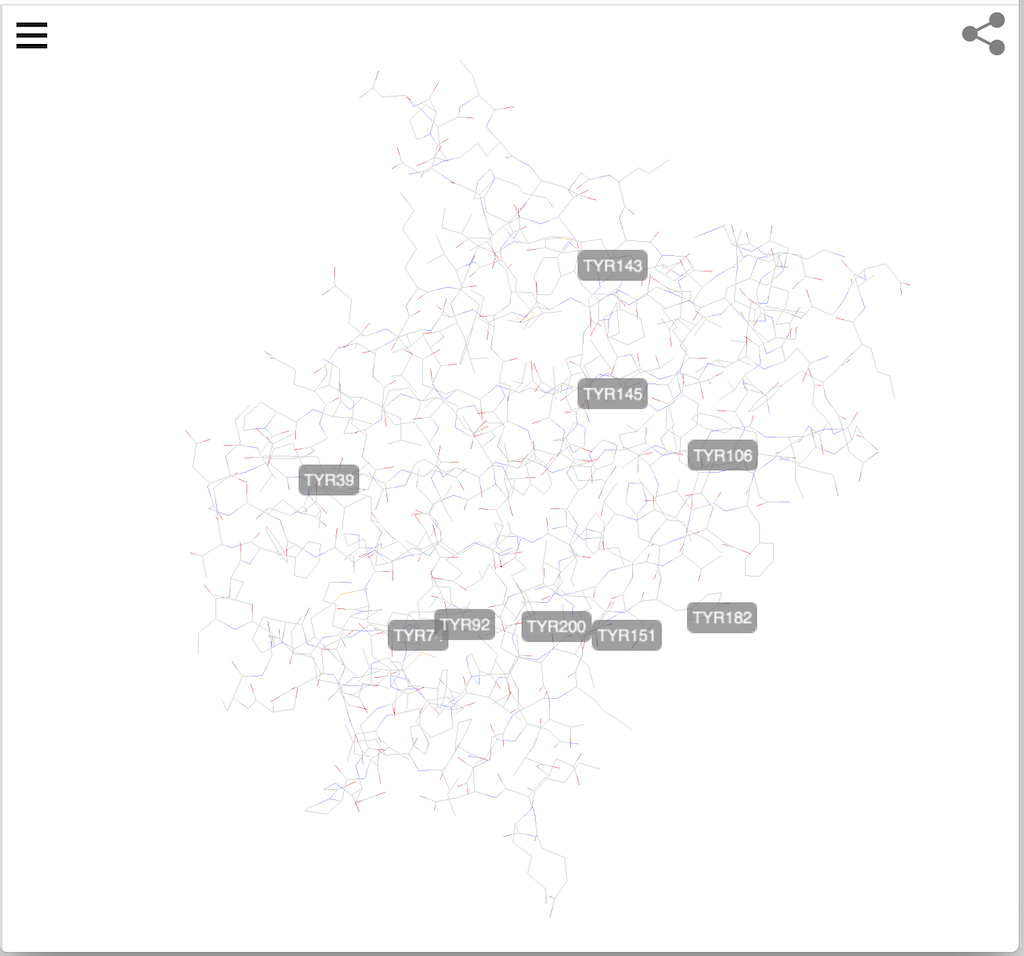
The following URL turns on residue labels with 2 given properties:
https://3dmol.org/viewer.html?pdb=4KW4&select=resn:TYR&labelres=fontSize:12;backgroundOpacity:0.5
⇒ "cid={PubChem_CID}" - Load Molecule from PubMed
⇐ "surface={...}" - Specify Surface Properties
⇑ Using Online Server of 3Dmol Viewer
⇑⇑ 3Dmol.js FAQ
2023-09-07, 1395🔥, 0💬
Related Topics:
